WEB APPLICATION · May 2026
PIXVAULT
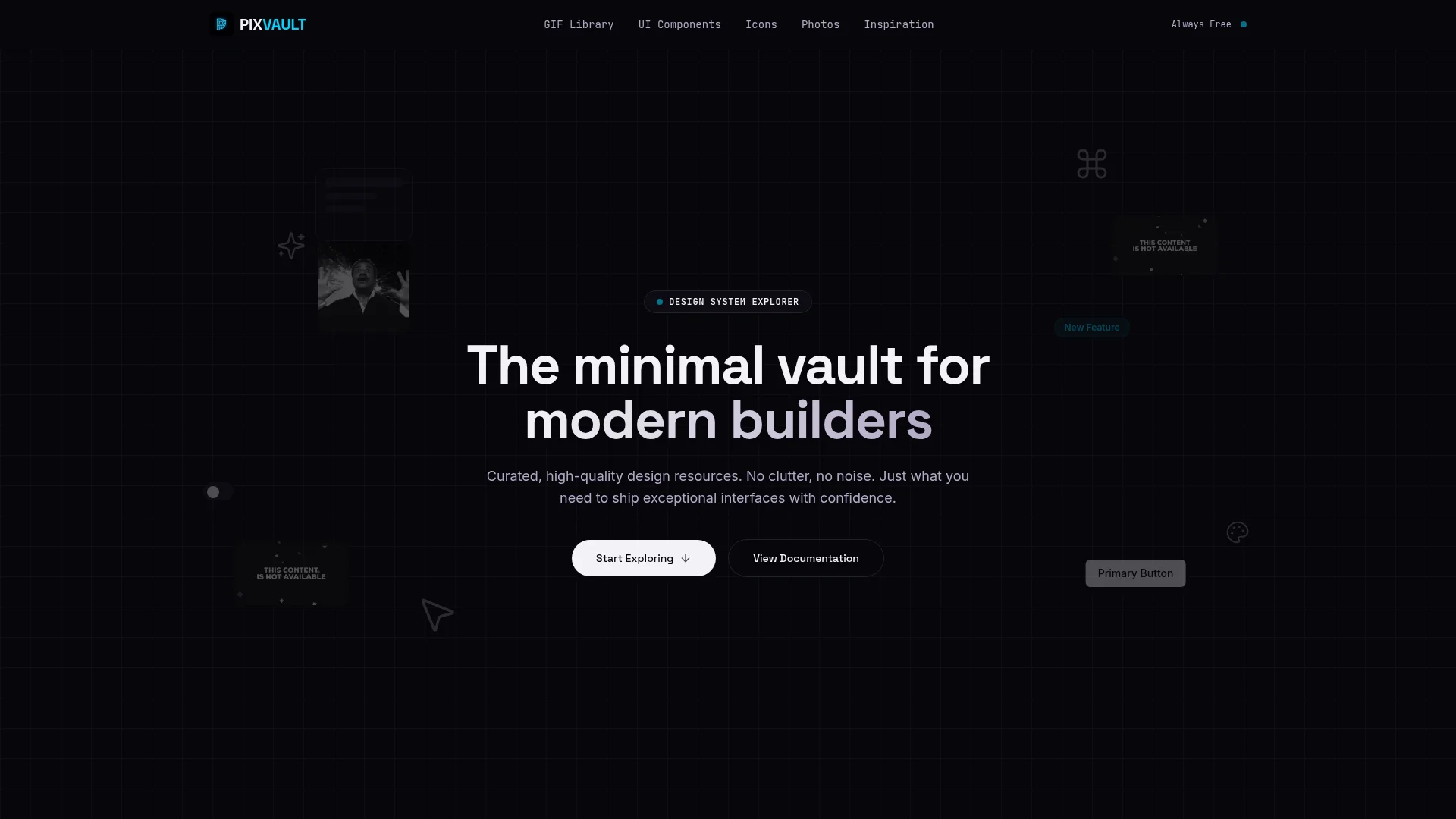
A premium design resource SPA aggregating GIFs, icons, UI components, and illustrations. Built with React 18 and a cyberpunk design system.
Overview
PIXVAULT is a single-page application that centralizes design resources for developers and designers. It pulls live data from multiple external APIs — GIFs from Reddit, icons from Iconify, UI components from shadcn/ui, and illustrations from open sources — and presents them in a unified, searchable interface. No accounts required, no paywalls.
Architecture
Tech Stack
State & Data
UI & Animation
Engineering Decisions
- TanStack Query handles all API fetching, caching, and background refetching — no manual loading state management
- Zod schemas validate all external API responses at runtime to prevent runtime crashes from shape changes
- shadcn/ui primitives used for accessible components — no custom modal/dropdown logic needed
- React Router with lazy-loaded routes keeps initial bundle small
- Framer Motion used only for entrance animations — no layout animations that could cause reflow
Design System
Color Palette
- #080c14 — Void Black (background)
- #00d4ff — Neon Cyan (primary actions)
- #8b5cf6 — Electric Violet (secondary)
- #ff4d6d — Hot Coral (accents, tags)
- #1a1f2e — Night Panel (card surfaces)
Typography
Features
GIF & Icon Discovery
GIFs are pulled live from Reddit's top GIF communities with search and category filtering. Icons are sourced from Iconify — covering Lucide, Material, Heroicons, Tabler, and Phosphor — with copy-SVG and download functionality.
UI Components & Inspiration
Pre-built shadcn/ui components are displayed with copy-paste code snippets. Each component is fully typed, WCAG-accessible, and Tailwind-customizable. The inspiration feed aggregates curated design content from multiple sources.
Design System Prompt
PIXVAULT ships with a complete design system prompt for AI agents. Copy it into any AI conversation to instantly replicate the dark cyberpunk aesthetic — colors, typography, component patterns, spacing, and visual effects — in any new project.
View Design System on GitHubPerformance
- TanStack Query caches all API responses — repeat visits load instantly with stale-while-revalidate
- Lazy-loaded routes — only the active section's JS is loaded on navigation
- All images lazy-loaded with placeholder shimmer animations
- Framer Motion animations use transform/opacity only — no layout triggers
- Deployed on Vercel with edge CDN — sub-100ms TTFB globally
System Documentation
# System Architecture: Pixvault ## 1. High-Level Architecture Pixvault is a high-performance Single Page Application (SPA) that aggregates and curates design resources (GIFs, icons, UI components). It is engineered to dynamically pull content from live external APIs while providing a lightning-fast, highly accessible frontend experience. ```mermaid graph TD Client["Pixvault SPA (React/Vite)"] -->|State Management| TanStack["TanStack Query"] Client -->|Routing| Router["React Router"] TanStack -->|Live Fetching| API1["External GIF API"] TanStack -->|Live Fetching| API2["External Design APIs"] Client -->|Styling Engine| Tailwind["Tailwind CSS"] Client -->|Component Library| Shadcn["shadcn/ui"] ``` ## 2. Tech Stack & Trade-offs * **Frontend: React 18 + Vite** * *Trade-off:* Vite replaces Create React App (CRA) or Webpack to provide near-instant Hot Module Replacement (HMR). The application avoids SSR (Server-Side Rendering) frameworks like Next.js because its primary purpose is client-side API aggregation, allowing it to be hosted statically for free on CDNs. * **State Management: TanStack Query (React Query)** * *Trade-off:* Standard React state (`useEffect` + `useState`) is inadequate for managing complex loading states, error handling, and caching of external API data. TanStack Query automatically handles background fetching, caching, and request deduplication. * **Styling: Tailwind CSS + shadcn/ui** * *Trade-off:* Shadcn/ui provides highly accessible (WCAG compliant) Radix UI primitives that are directly copied into the source code rather than installed as an opaque npm package. This gives complete structural control while Tailwind handles rapid, utility-first styling. * **Animations: Framer Motion** * *Trade-off:* Used for complex layout transitions and micro-interactions that CSS alone cannot handle gracefully (e.g., smoothly animating the masonry grid of GIFs or UI components). ## 3. Data Flow & Network Independence Pixvault does not possess a traditional proprietary database. Instead, it acts as a highly optimized curation layer over existing live APIs. * **Caching Strategy:** TanStack Query caches API responses in memory. If a user navigates away from the "GIF Showcase" and returns, the UI renders instantly from the cache while a background re-fetch ensures the data is not stale. * **Pagination & Search:** The application handles dynamic search queries and infinite scrolling by manipulating URL parameters via React Router, keeping the UI state perfectly synced with the browser's history stack. ## 4. UI/UX Engineering Because the application targets designers and developers, the UI architecture is heavily scrutinized for quality: * **Strict Typings:** Every UI component is strictly typed using TypeScript and validated using Zod, preventing runtime crashes from unpredictable external API payloads. * **Modular Organization:** The `src/components` directory is rigidly separated into `ui/` (dumb primitive components from shadcn) and Feature Components (`GifShowcase.tsx`, `HeroSection.tsx`), adhering to the Single Responsibility Principle. ## 5. Build & Deployment Pixvault's architecture allows it to be compiled into a pure bundle of HTML, CSS, and JS (`index-[hash].js`). This output (`dist/`) is deployed to edge networks like Vercel or Cloudflare Pages, resulting in zero-server maintenance and sub-second Time To Interactive (TTI) metrics.